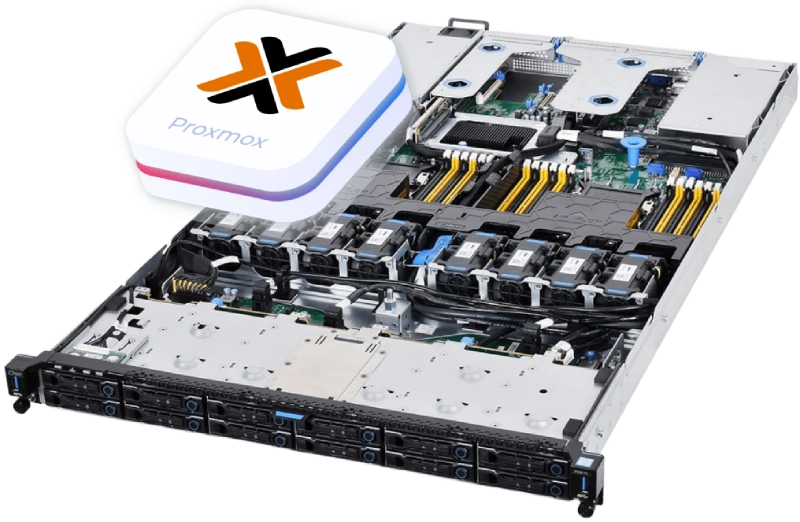
Professional Proxmox Hosting.
Stop Paying the VMware Tax. Start Owning Your Cloud.

Tired of proprietary hypervisors that force mandatory per-core subscriptions? It's time for the VMware Exodus.
ServerMO gives you 100% Dedicated Bare Metal Power optimized for Proxmox VE. Run KVM virtual machines,
LXC containers, and hyper-converged Ceph storage with zero licensing fees.

  • Zero Hypervisor Tax: 100% free and open-source (GNU AGPL). Build your private cloud without limits.
  • ZFS Optimized NVMe: Enterprise-grade endurance SSDs designed to prevent ZFS wear-out.
  • 10Gbps Ceph Networking: Dedicated private VLANs for uninterrupted live migrations and storage sync.

What is Proxmox VE on Bare Metal?

The Open-Source Foundation of Your Virtual Infrastructure

Proxmox Virtual Environment (VE) is an open-source, enterprise-grade virtualization platform built on Debian Linux. It seamlessly integrates the KVM hypervisor for running full virtual machines (Linux/Windows) and LXC containers for lightweight applications, all manageable from a single web interface.

By deploying Proxmox VE on a ServerMO dedicated bare metal server, you eliminate expensive licensing fees while retaining enterprise features like ZFS storage, Ceph hyper-convergence, and High Availability (HA) clustering. You get the ultimate flexibility of a Private Cloud without the vendor lock-in.

logo Proxmox VE

The Problem: The Danger of Poor Infrastructure Planning

Why SREs Enforce Strict Rules

Proxmox is powerful, but throwing it on cheap, unoptimized hardware leads to data loss and cluster collapse.

The Hardware RAID Trap

Never place a Hardware RAID controller between ZFS and your SSDs. It blinds the ZFS self-healing mechanism, breaking checksum validations and leading to silent data corruption.

Split-Brain Clusters

Building a High Availability (HA) cluster with only 2 nodes (servers) is dangerous. If the connection drops, both servers try to seize control, corrupting your VMs. You need a strict 3-node Quorum.

The Non-ECC RAM Risk

Running Proxmox ZFS on standard RAM is a severe risk. If a bit flips in memory, ZFS writes that corrupted data permanently to your drives. ECC RAM is mandatory for ZFS.


The ServerMO Solution: Maximum Density & Total Control

Enterprise NVMe

Enterprise NVMe + ZFS Support

ZFS requires high endurance. We deploy Enterprise Datacenter NVMe SSDs via HBA IT-Mode, giving Proxmox 100% block-level control to manage ZFS caching (ARC/L2ARC) without drive wear-out.

10Gbps unmetered

10Gbps Ceph Networking

Building a Ceph hyper-converged cluster? Ceph storage replication requires massive bandwidth. ServerMO provides dedicated 10Gbps unmetered Private VLANs exclusively for backend Ceph traffic.

IP Blocks

Massive IP Availability & KVM

Get full IPMI/KVM access to manage your host. Plus, provision massive dedicated IP blocks (up to /24) and assign static public IPv4 addresses directly to your Proxmox VMs via Linux bridges.

High Performance Compute

100% Dedicated Compute Power

No noisy neighbors or "CPU steal time." Your KVM virtual machines get raw, unrestricted access to dedicated physical cores (Intel Xeon or AMD EPYC) for true bare-metal application performance.

Deploying Your Hypervisor is Simple

We offer flexible ways to get your Private Cloud running. Whether you need instant provisioning or granular security control, you decide how your hypervisor is built.

Fastest

Option 1: One-Click Pre-Install (Automated)

Select "Proxmox VE" during the checkout process. Our automated provisioning system will handle the drive formatting, partitioning, and installation for you. Your server will be delivered "Ready-to-Login" with the root password and the Proxmox Web GUI URL pre-configured.

Option 2: Custom Install via IPMI (Manual)

For maximum control over ZFS pools and RAID configurations, use our full IPMI (KVM over IP) console. You can mount your own Proxmox ISO image via "Virtual Media" and install the OS exactly as if you were physically sitting in the datacenter.

Migrating from VMware ESXi?

Executing the "VMware Exodus"? Proxmox 8.1+ features a Native ESXi Import Wizard for live API-driven migrations. If you need assistance planning your migration strategy or sizing your new hardware cluster, our SRE team is here to help.

Contact Migration Experts

Cluster Sizing Blueprint (Proxmox Specs)

From single-node homelabs to hyper-converged enterprise clouds, select the right hardware architecture.

Tier 1 / Sandbox

Single Node Virtualization

For Testing & Homelabs
Standalone Proxmox VE
Intel Xeon® / Ryzen™
HARDWARE SPECIFICATION 64GB - 128GB ECC RAM
2x NVMe SSDs (ZFS Mirror)
1Gbps Dedicated Uplink
Value Point:
Perfect for isolated dev environments, staging apps, or small internal IT infrastructure. Fast NVMe ZFS mirrors provide local data redundancy.
Tier 2 / HA Quorum

The Quorum Starter

For High Availability (HA)
3-Node HA Cluster
10Gbps Private VLANs
PER NODE SPECIFICATION AMD EPYC™ / Xeon® Silver
128GB - 256GB ECC RAM
ZFS Replication Network
Value Point:
Establishes a true Proxmox HA Quorum. If Node 1 fails, VMs automatically restart on Node 2 or 3. Requires 10Gbps backend for fast ZFS replication.
Tier 3 / Ceph Cloud

Enterprise Ceph Cloud

Massive Scale Private Cloud
Hyper-Converged
40Gbps+ Ceph Network
PER NODE SPECIFICATION Dual AMD EPYC™ (Genoa)
512GB+ DDR5 ECC RAM
4x+ Enterprise NVMe (OSDs)
Value Point:
Complete replacement for VMware vSAN. Distributed Ceph storage ensures no single point of failure. Capable of hosting thousands of enterprise VMs.
Tier 4 / Reseller

High-Density VPS Node

For Hosting Resellers
50+ Virtual Machines
Massive IP Blocks (/24)
HARDWARE SPECIFICATION High Core-Count CPU
256GB - 512GB RAM
Direct PCIe NVMe (IT Mode)
Value Point:
Maximize your ROI. Slice one extremely powerful bare metal server into dozens of KVM/LXC instances to resell. ZFS Striped Mirrors (RAID 10) deliver massive IOPS without physical controller bottlenecks.

Hardware Built for Virtualization

In virtualization, Cores and RAM are king. Ensure you have enough resources to allocate to all your VMs.

The "Entry Level" Node

  • CPU:Intel Xeon E-Series or Ryzen (6-8 Cores)
  • RAM:64GB ECC DDR4
  • Storage:2 x 1TB Enterprise NVMe SSDIncludes: FREE Software RAID 1
    Even for small workloads, NVMe is essential. Our Free RAID 1 via ZFS Mirror ensures if one drive fails, your VMs stay online.
Best For Clusters

The "Density Monster"

  • CPU:AMD EPYC™ or Dual Intel Xeon Gold (24+ Cores)
  • RAM:256GB - 512GB ECC Memory
  • Storage:4 x 2TB Enterprise NVMe (HBA IT Mode)Optimized for: ZFS RAID-10 or Ceph
    Massive I/O for 50+ VMs. Hardware perfectly aligned for hyper-converged Ceph object storage daemons (OSDs).

Start Virtualizing on Proxmox Today.

Stop paying the VMware tax. Get the raw power, massive IP blocks, and full root control you need to build your own scalable Private Cloud.

Proxmox Dedicated Server FAQs

Can I easily migrate from VMware ESXi to Proxmox Bare Metal?

Yes. Proxmox VE (8.1+) features a Native ESXi Import Wizard. You can connect directly to your vCenter or ESXi API and live-import VMs without the hassle of manual OVA/OVF exports. With Broadcom's recent pricing changes, many enterprises are executing a "VMware Exodus." ServerMO provides the raw bare metal performance you need to execute this migration seamlessly without losing data or configurations.

Why shouldn't I use Hardware RAID with Proxmox ZFS?

Never place a Hardware RAID controller between ZFS and your SSDs. Hardware RAID blinds the ZFS self-healing mechanism and breaks its ability to perform accurate checksum validations. At ServerMO, we provision Enterprise NVMe via direct PCIe lanes or HBA cards in IT Mode, giving Proxmox 100% block-level control.

How does ServerMO prevent Proxmox ZFS SSD Wear-out?

By design, ZFS is inherently write-intensive due to its Copy-on-Write (CoW) architecture, which quickly depletes the lifespan of standard consumer-grade SSDs (low TBW). ServerMO exclusively uses Enterprise Datacenter NVMe SSDs with extremely high Terabytes Written (TBW) endurance and Power Loss Protection (PLP) to guarantee the long-term stability of your Proxmox pools.

What are the network requirements for a Proxmox Ceph Cluster?

Ceph storage requires massive throughput and ultra-low latency. Trying to run Ceph OSD replication over a standard 1Gbps connection will result in network saturation and cluster collapse. ServerMO provides dedicated 10Gbps unmetered Private VLANs exclusively for your Ceph backend traffic, ensuring lightning-fast replication.

What are the quorum requirements for Proxmox High Availability?

A Proxmox High Availability (HA) cluster requires a strict minimum of 3 servers to establish a quorum. Building a 2-node HA cluster risks a "Split-Brain" scenario where both servers try to seize control if the network drops. ServerMO architects safe 3+ node clusters or integrates lightweight QDevices to ensure safe failovers.

Do I need ECC RAM for Proxmox Virtualization?

Yes. Running Proxmox ZFS on non-ECC RAM is a severe data corruption risk. If a bit flips in memory, ZFS will write that corrupted data to disk. ServerMO deploys DDR4/DDR5 ECC Memory on all Proxmox bare metal servers. By default, ZFS ARC dynamically utilizes up to 50% of the host's RAM for lightning-fast caching, making massive ECC memory a critical foundation (1GB per 1TB is only required if ZFS Deduplication is enabled).


Power. Performance. Precision.

99.99% Uptime Guarantee
24/7 Expert Support
Blazing-Fast NVMe SSD

Christmas Mega Sale!

Unwrap the ultimate power! Get massive holiday discounts on all Dedicated Servers. Offer ends soon grab yours before the snow melts!

London UK (15% OFF)
Tokyo Japan (10% OFF)
00Days
00Hrs
00Min
00Sec
Explore Grand Offers